 USA
USA 

Buy Products USA Distributors USA      Canada Canada  |
Arduino Shield Scaffold
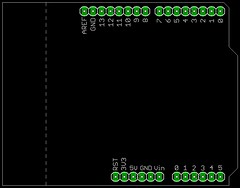
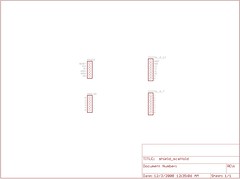
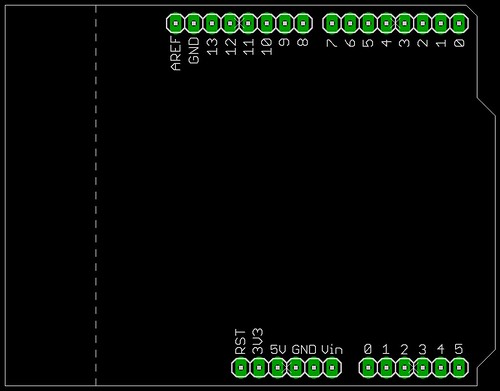
I've been designing some products that attach to an Arduino Diecimila / Duemilanove board. These are typically called shields, and are used to easily add functionality to the basic Arduino platform. For reasons that are not generally understood, the original designers of the Arduino PCB spaced the top two headers 160 mil apart, instead of 100 mil or 200 mil. If the headers had been on 100 mil centers, a standard prototyping board would easily fit on the headers, making it simple to create prototyped Arduino shields. The 160 mil spacing essentially requires that a PCB is designed as part of the prototyping process. Several members of the Arduino community have created special prototyping boards that adapt to the 160 mil spacing. Others have created their own Arduino boards that fix the 160 mil problem while maintaining compatibility with existing shields. However, if you plan to create your own shield PCB, it's still not very easy to get started. You'll either need to measure the Arduino very accurately, or base your board on an existing layout. Usually this means grabbing PCB and schematic files for an unrelated project, and deleting everything you don't want. This can be messy and take too much time, and you can end up with non-standard layer names and colors, or accidentally delete parts, or fail to delete parts on hidden layers. To make it easier on myself, I created a very basic Arduino shield scaffold; the schematic has only the standard Arduino headers, and the PCB has the correct header spacing and labels. The PCB headers are locked so they can't be accidentally moved. Also, the PCB has a dashed line showing the edge of the parts on the Diecimila board that extend higher than the female headers; if your PCB is kept behind this line, it won't short on the USB connector when using standard length header pins. Download the Eagle CAD project here: ArduinoShieldScaffold.zip
Submitted by Garrett on Wed, 12/03/2008 - 02:29. |
Cool Links     
Recent Comments
|

Great work you did ,
Great work you did , although it is a simple design it will be very useful for all hobbists wanting to start a new Arduino shield project .
Jeronimo
www.blogdoje.com.br
Arduino, AVR & ARM
Thanks. I've designed a 3x
Thanks. I've designed a 3x shiftbrite chain shield (sounds like something from WoW), and it passes all design rule checks, etc. But I can't get Eagle to generate a file set that BatchPCB will like. The Sparkfun tutorials don't quite cover it. Do you have a pointer to a more explicit recipe to go from BRD file to a zip file with the right stuff? If you could blog that it would be _awesome_.
-- Sean
just use this nice CAM file
just use this nice CAM file from the sparkfun tutorials. Hasn't let me down yet. Of course it doesn't export the values, but the script can be edited after opening, and saved as a custom export script.
here it is:
http://www.sparkfun.com/tutorial/BeginningEmbedded/9-EaglePCBs/sfe-gerb2...
Thanks, for the great start
Thanks, for the great start on this, Garrett. I got BatchPCB to accept a shield last night, although I had to draw a boundary around the board top/bottom copper to get it to pass.
It's a shiftbrite shield, driving 3 chains of SBs, using the SPI driver code, and with switches and pots for input. My prototype works, so I'm hopeful!
My shields came back last
My shields came back last week, and I finally got the time to populate one. Much nicer than the old rat's nest. I finished an Arduino library for it today, and will get around to posting both some video and the code RSN. Thanks for the encouragment, and help!
Thank you, sir!
Thank you, sir!
Many thanks for sharing this
Many thanks for sharing this shield!
right stuff? If you could
right stuff? If you could blog that it would be _awesome_.
thank you
thank you